Bruno setup
API calls can be formed and sent using any RESTful compliant application or API test client. This enables Endurance to be configured without using the WebUI.
Bruno is a Git-integrated, fully offline open-source API client that is available for Linux, Windows and MAC and can be downloaded from here. Bruno uses a "collection" to define the API environment and store the API requests. Collections must be run in order to execute the requests.
Download & import the example collection
The Bruno collection for the test environment can be downloaded here.
Once downloaded, run Bruno (the screenshots below show Bruno v3.4.2).
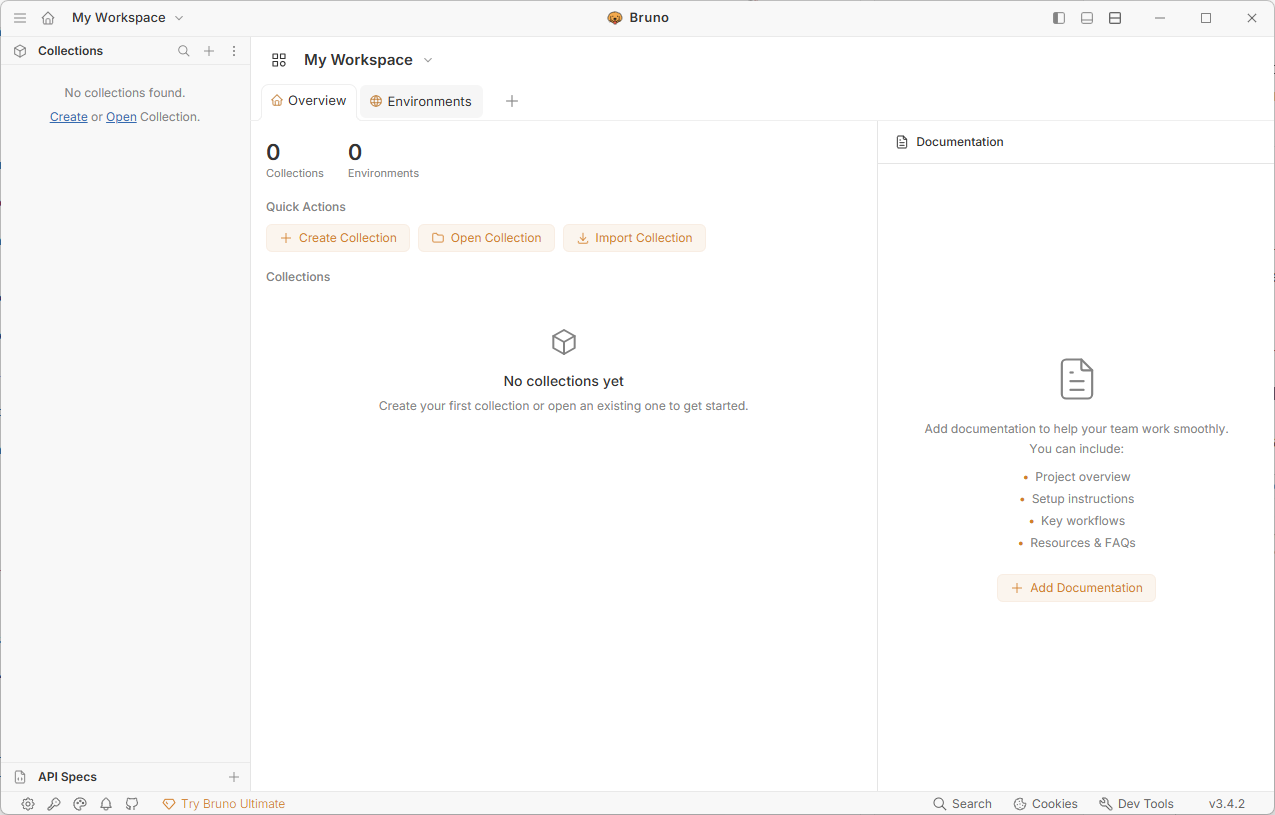
Under Quick Actions, select Import Collection.
In the pop-up, select choose file(s), then browse to and select the file downloaded previously and click Open.
Under Location, click Browse, then choose a location to store the new collection and click Select Folder.
Click Import to import the collection.
Under Collections, click Simple Test Environment to select the collection.
Environment variables
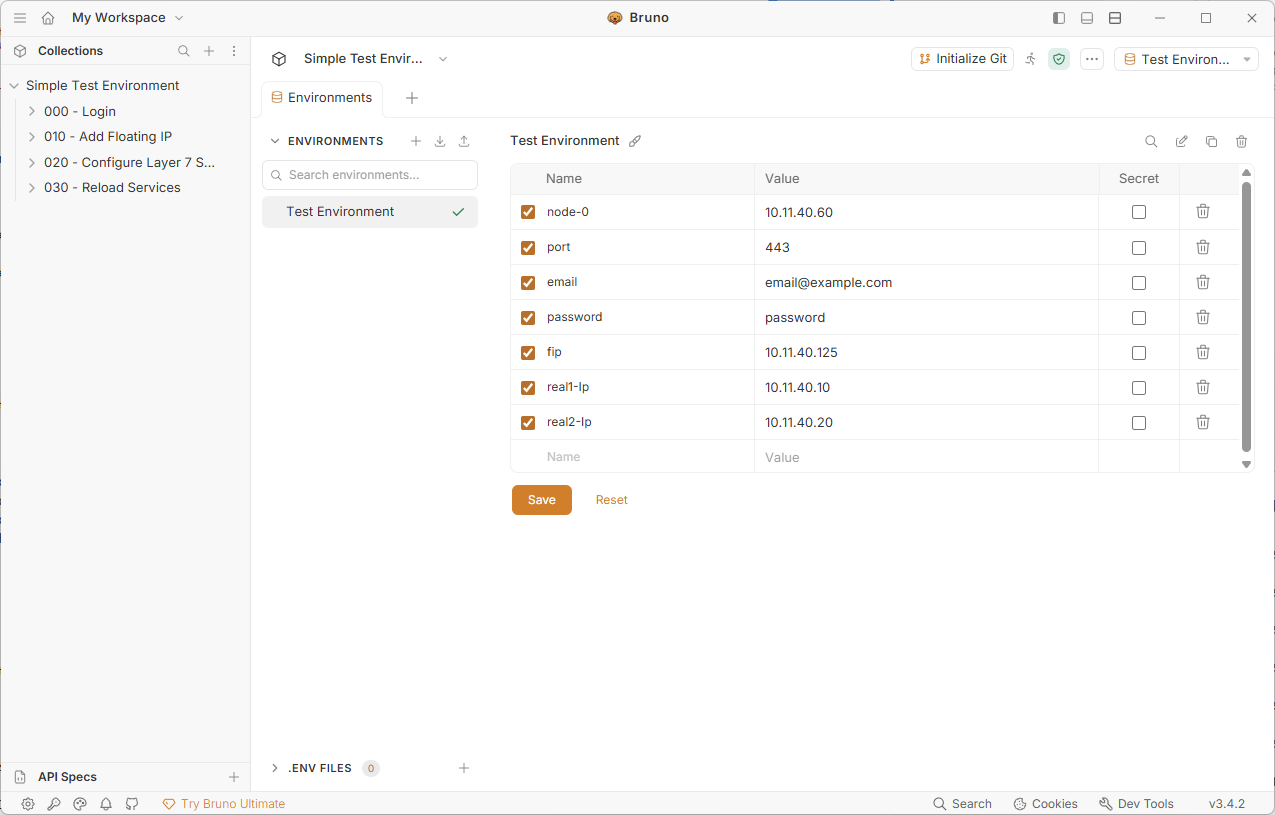
The Test Environment collection uses several environment variables in the API requests, these must be modified to suit your environment.
To edit the environment variables:
-
Click on No Environment in the top right corner, then select Test Environment.
-
Select Test Environment in the top right corner and select Configure.
-
Change the IP address for node-0 to match your appliance.
-
Change email to match the email address you use to login to your appliance.
-
Change password to match the password you use to login to your appliance.
-
Change the IP address for fip to the IP address you’d like to use for the Virtual Service.
-
Change the IP address for real1-Ip to the address of your first Real Server.
-
Change the IP address for real2-Ip to the address of your second Real Server.
-
Click Save.
-