ADC Portal dashboard
This section covers the Dashboard - the overview it provides of all ADC appliances, actions and alerts, how it’s accessed, and the options available from the main menu bar.
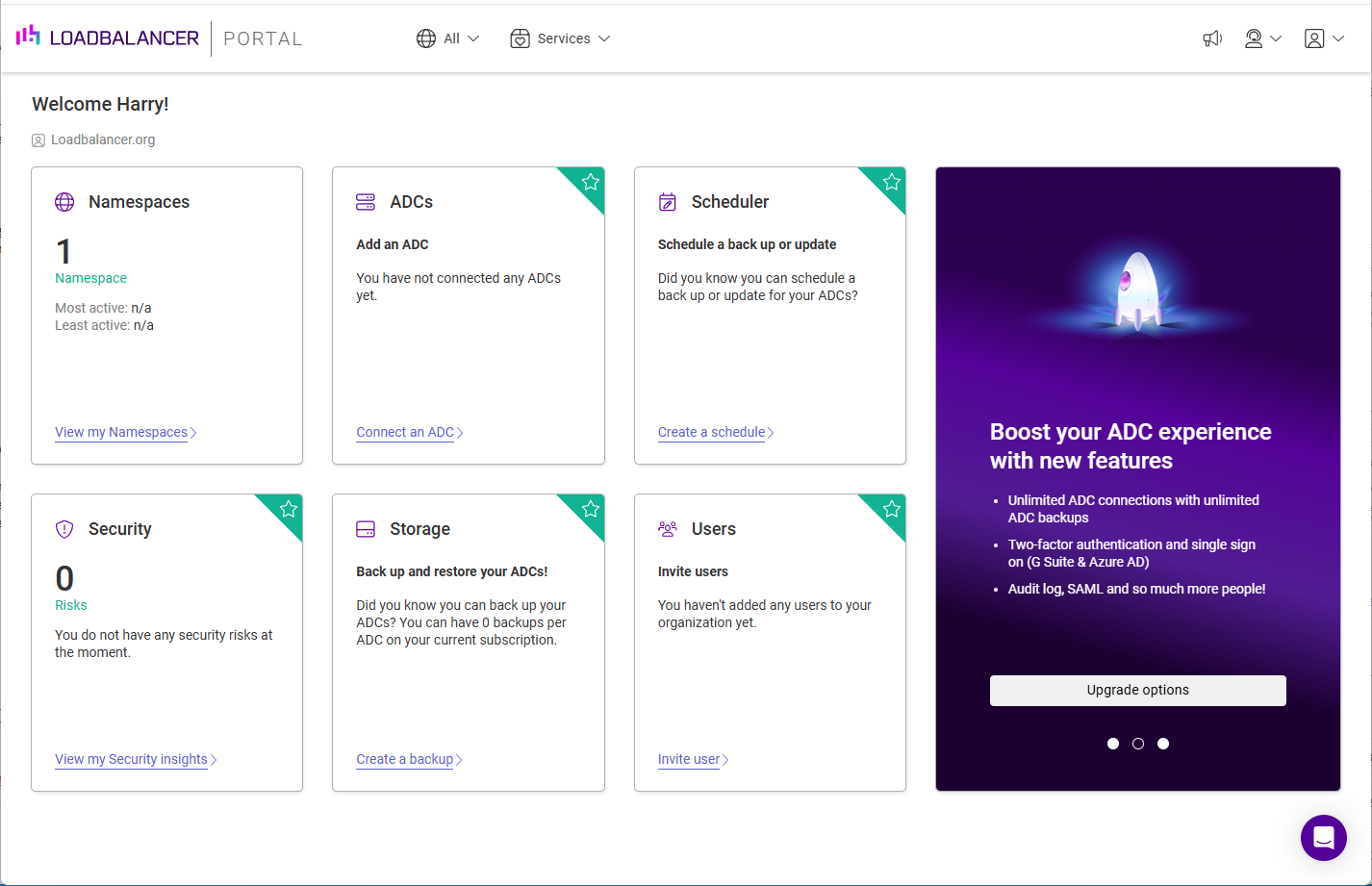
The ADC Portal Dashboard provides a clear and concise overview of all ADC appliances, actions and alerts. It also enables direct navigation to any area that requires attention. The Dashboard has six main panels to enable quick and easy access to key areas of the Portal.
Accessing the Dashboard
The Dashboard is displayed by default after logging in to the Portal. It can also be accessed at any time by clicking on LOADBALANCER | PORTAL in the main menu bar at the top of the screen.
Menu Options
| Symbol | Purpose |
|---|---|
|
Access the ADC Portal Dashboard |
|
Filter by Namespace, default is all |
|
The Services menu - direct access to the ADCs, Scheduler, Storage and Security pages |
|
The Support menu - Get Support (create and view support tickets), Service Status (the current status of the ADC Portal service) and Documentation (this documentation) |
|
The Portal menu - Organization, Account, Resources and Logout |





Each of the areas reached from the Services menu (ADCs, Scheduler, Storage and Security) has its own menu to the left of the screen. The first item in each is an Overview page which introduces the area - the working pages are listed below it.
| Throughout the Portal, list pages share a common layout. A Search… box is provided above the list, the total number of entries is shown below it, and a Download CSV link to the right of the total exports the list. Where a list has a three dots menu at the end of each row, this provides the actions available for that entry. |