Task scheduler
This section covers the task scheduler - how ADC backups and software updates are scheduled to run once or on a recurring cadence, and how existing schedules are viewed and deleted.
The task scheduler allows multiple tasks to be configured and scheduled. Currently, ADC backups and software updates can be scheduled. Backups are securely stored in the Portal and can be easily viewed and either restored, downloaded or deleted.
To add a new schedule:
-
Click LOADBALANCER | PORTAL in the main menu bar to view the Dashboard.
-
In the Scheduler panel:
-
If this is the first schedule to be added, click Create a schedule.
-
If schedules already exist, click View my Schedules.
-
Click the Add schedule button.
-
-
-
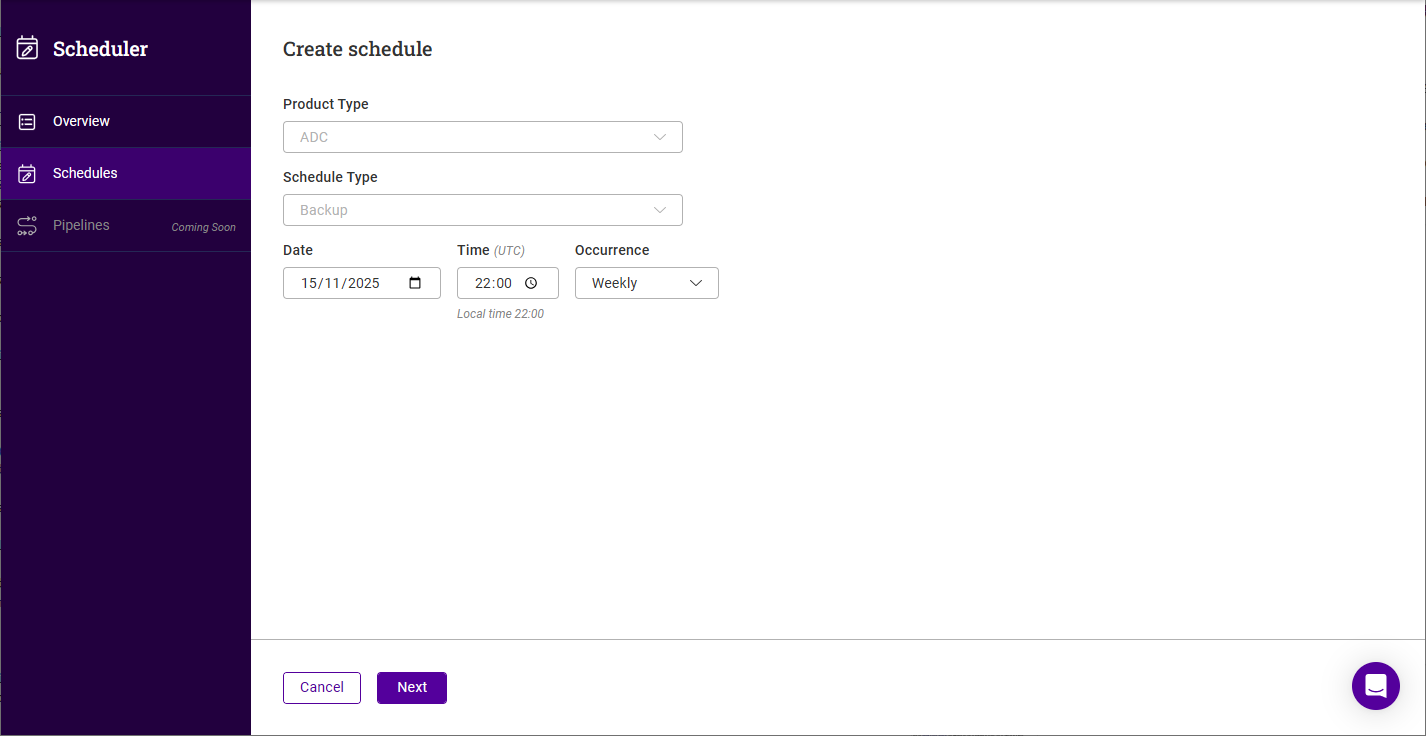
The Create Schedule form will be displayed:
-
The Product type is set to ADC.
-
Select the Schedule type - either Backup or Update.
The update option will not be available if all ADCs are already up to date, or if no ADCs have been added yet. When only one option is available the Schedule type control is greyed out and remains set to Backup. -
Specify the required Date and Time.
The time is entered in your local time - the equivalent UTC time is shown immediately below the field. -
For backups, select the required Occurrence. The following options are available:
-
Once
-
Daily
-
Weekly
-
Monthly
-
Yearly
-
-
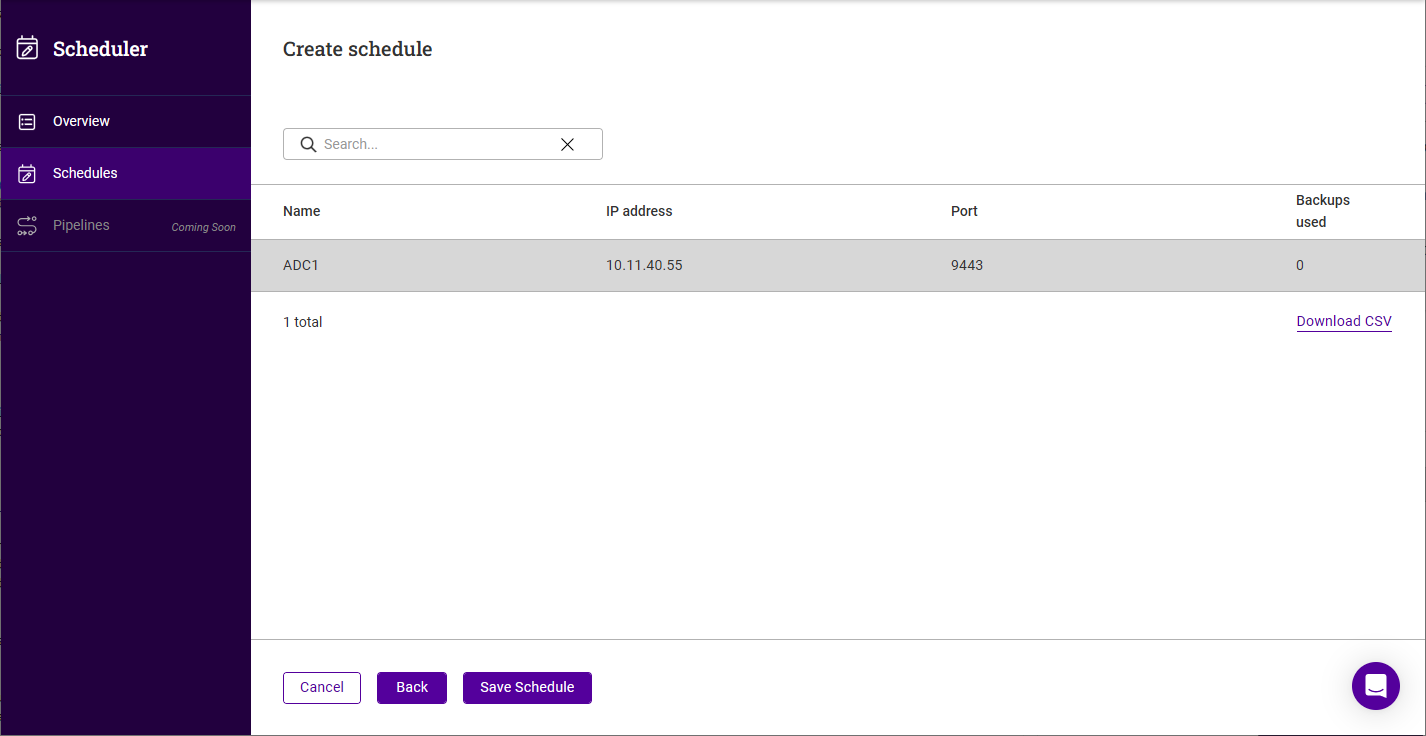
Click Next.
-
Select the ADC(s) the schedule should apply to.
-
Click Save schedule, the new schedule will appear in the Schedules list.
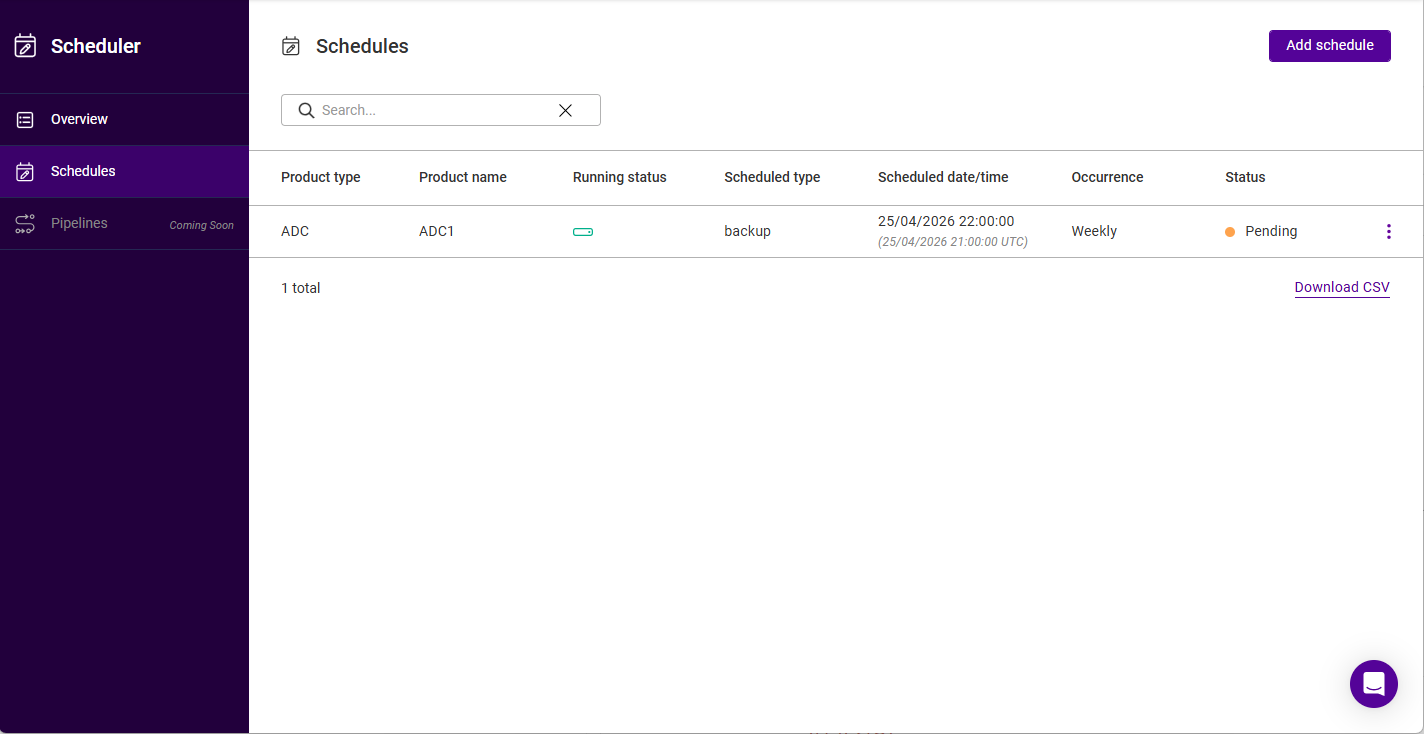
The following details are shown for each schedule: Product type, Product name, Running status, Scheduled type, Scheduled date/time (shown in both local time and UTC), Occurrence and Status (e.g. Pending).
| The Pipelines option in the Scheduler menu is coming soon. This will allow custom workflow automations to be created. |
The three dots menu next to each schedule provides the following actions:
-
View backups - view the backups that have been created for the ADC.
-
Backup now - create a backup of the ADC immediately.
-
Edit schedule - change the settings of an existing schedule.
-
Delete schedule - delete the schedule. Click Confirm when prompted to proceed.
| Options that are not currently applicable are greyed out. |