Appliance Software Update
We recommend that the appliance is kept up to date to ensure that you benefit from the latest bug fixes, security updates and feature improvements. Both online and offline update are supported.
| Services may need to be restarted/reloaded after the update process completes or in some cases a full appliance restart may be required. |
Online Update
The appliance periodically contacts the Loadbalancer.org update server (update.loadbalancer.org) and checks for updates. If an update is found, a notification will be displayed on the main dashboard in the SYSTEM UPDATES widget as shown in the example below:
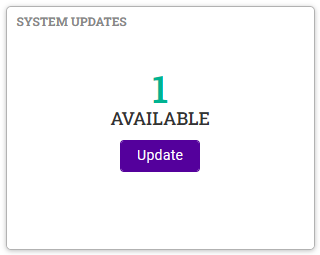
Click Update. Details of the update package(s) available will be displayed as shown in the example below:
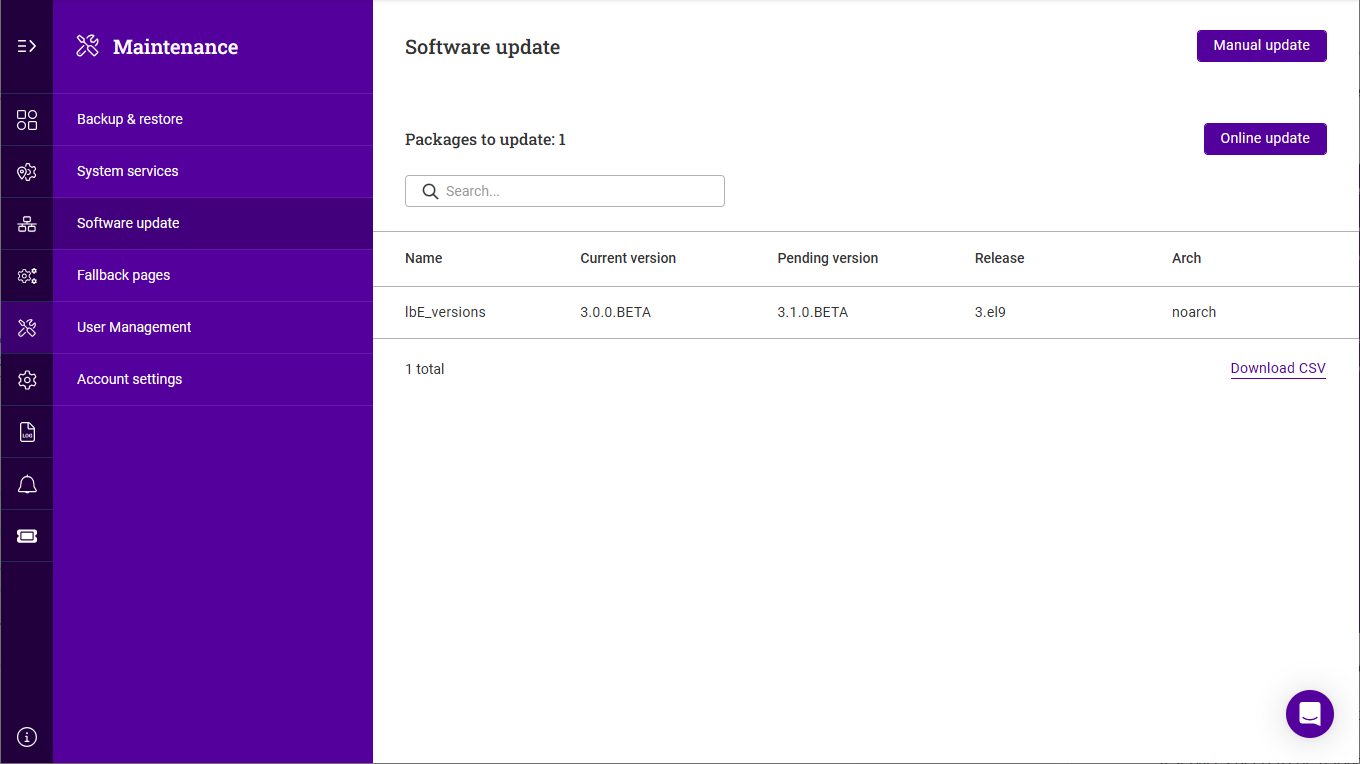
Click Online Update, then click Confirm in the popup to start the update process.
The update process can take several minutes depending on download speed and the number of updates.
If services need to be reloaded/restarted or the appliance needs a full restart, you’ll be prompted accordingly.
Offline Update
If the appliance does not have access to the Internet, offline update can be used. To check if updates are available, please contact our support team.
To perform an offline update:
-
Using the WebUI, navigate to: Maintenance > Software update.
-
Click Manual update.
-
Click Choose File, then browse to and select the update file.
-
If services need to be reloaded/restarted or the appliance needs a full restart, you’ll be prompted accordingly.