IPs
The IPs menu groups the IP addresses used by the appliance’s services - the Static IPs used for management and clustering, the Floating IPs used by Virtual Services, and the Service IPs used by appliance services such as SNMP and the Prometheus collector.
Static IPs
Static IPs are used for:
-
The WebUI / API / SSH
-
Pulse (HA)
To add a Static IP:
-
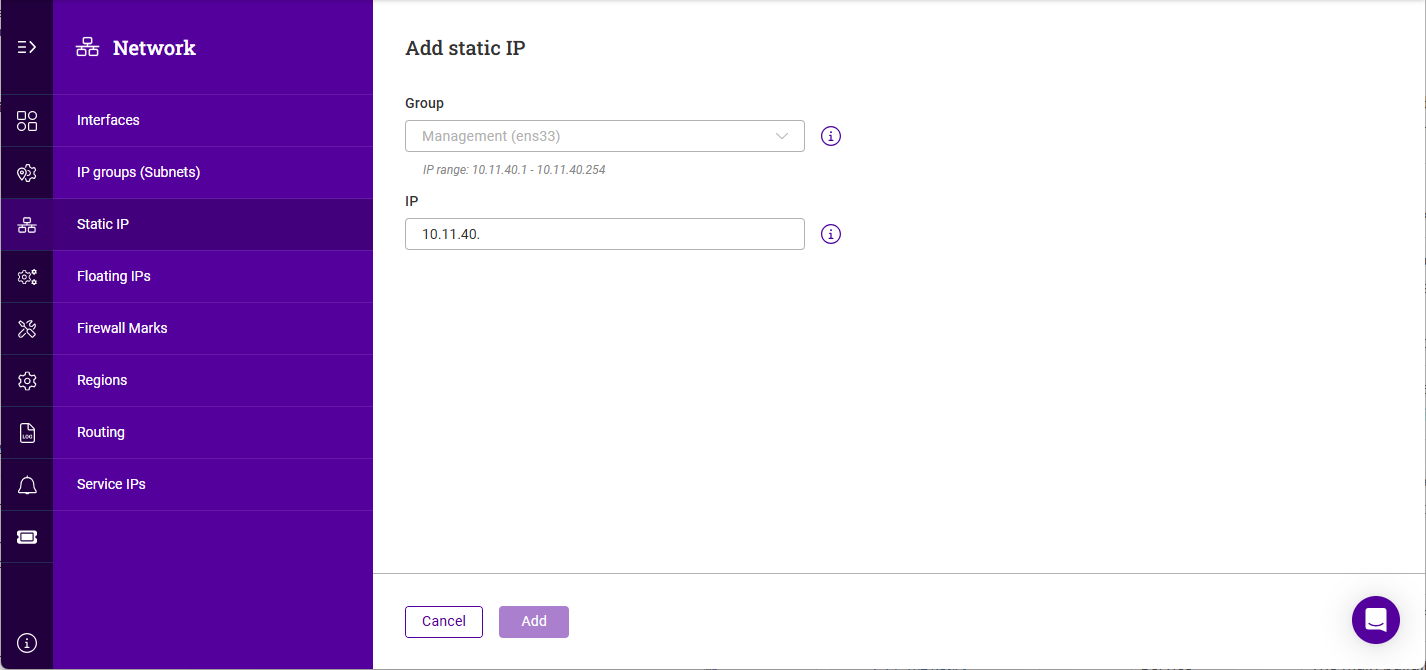
Using the WebUI, navigate to Network > IPs > Static IPs and click Add static IP.
-
Select the relevant IP Group (subnet) from the Group drop-down. The valid IP range for the selected group is displayed below the field.
-
The network portion of the address will be auto-filled; complete the remainder of the address.
-
Click Add.
Floating IPs
Floating IPs are used for Virtual Services. This allows the Virtual Service to move or "float" between nodes.
They are also required when using Layer 4 DNAT mode or Layer 7 proxy mode with TProxy where in both cases the load balancer must be the default gateway for the Real Servers. Again, this allows the Virtual gateway to move or "float" between nodes.
Floating IPs are controlled by Pulse to ensure that only the active node owns the Floating IP(s) at any time.
To add a floating IP:
-
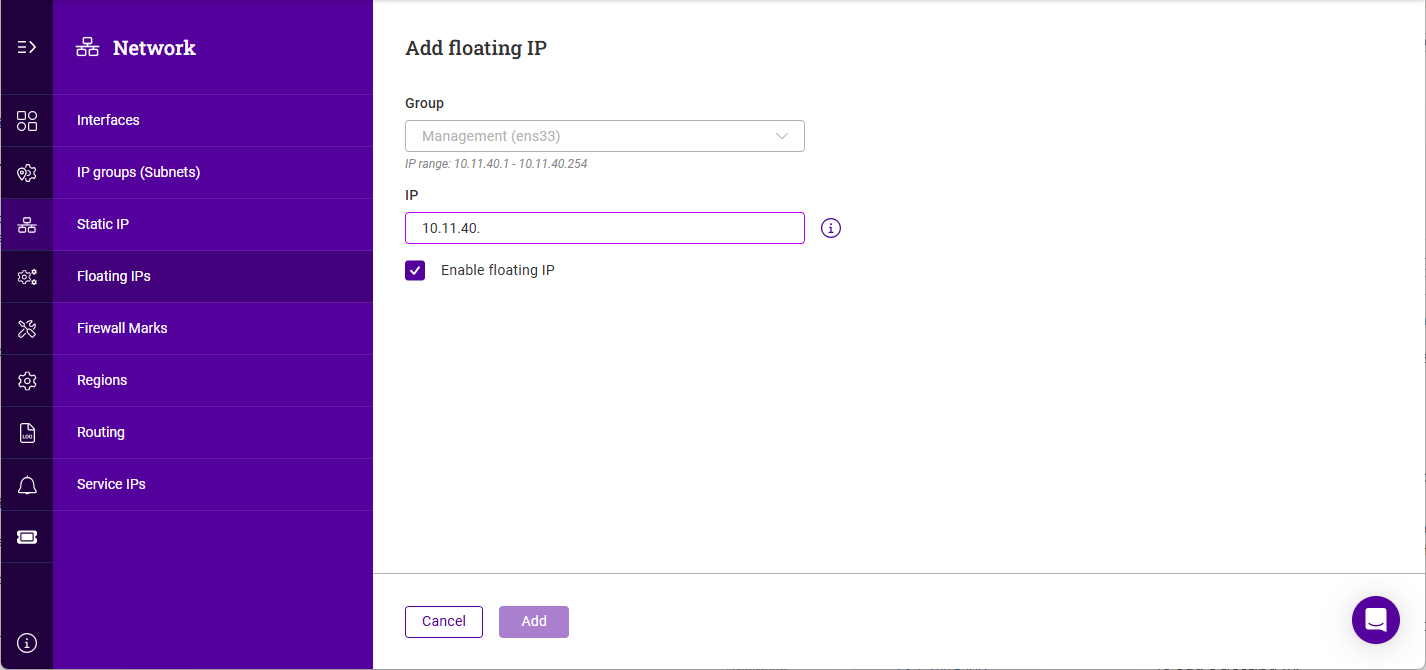
Using the WebUI, navigate to Network > IPs > Floating IPs and click Add floating IP.
-
Select the relevant IP Group (subnet) from the Group drop-down. The valid IP range for the selected group is displayed below the field.
-
The network portion of the address will be auto-filled; complete the remainder of the address.
-
Select the Role of the address:
Role Description Service
The address is used by a Virtual Service, or as a floating default gateway. This is the default.
SNAT IP
Designates the address as a SNAT IP. Selecting it reveals a SNAT port range, where the low and high ports of the range are specified - each between 1 and 65535.
-
By default the address will be enabled once created. If this is not desired, disable (clear) the Enable floating IP checkbox.
-
Click Add.
Service IPs
A Service IP associates a name with an existing Static IP so that it can be used by appliance services. Service IPs are used for:
-
SNMP
-
Prometheus collector
To add a Service IP:
-
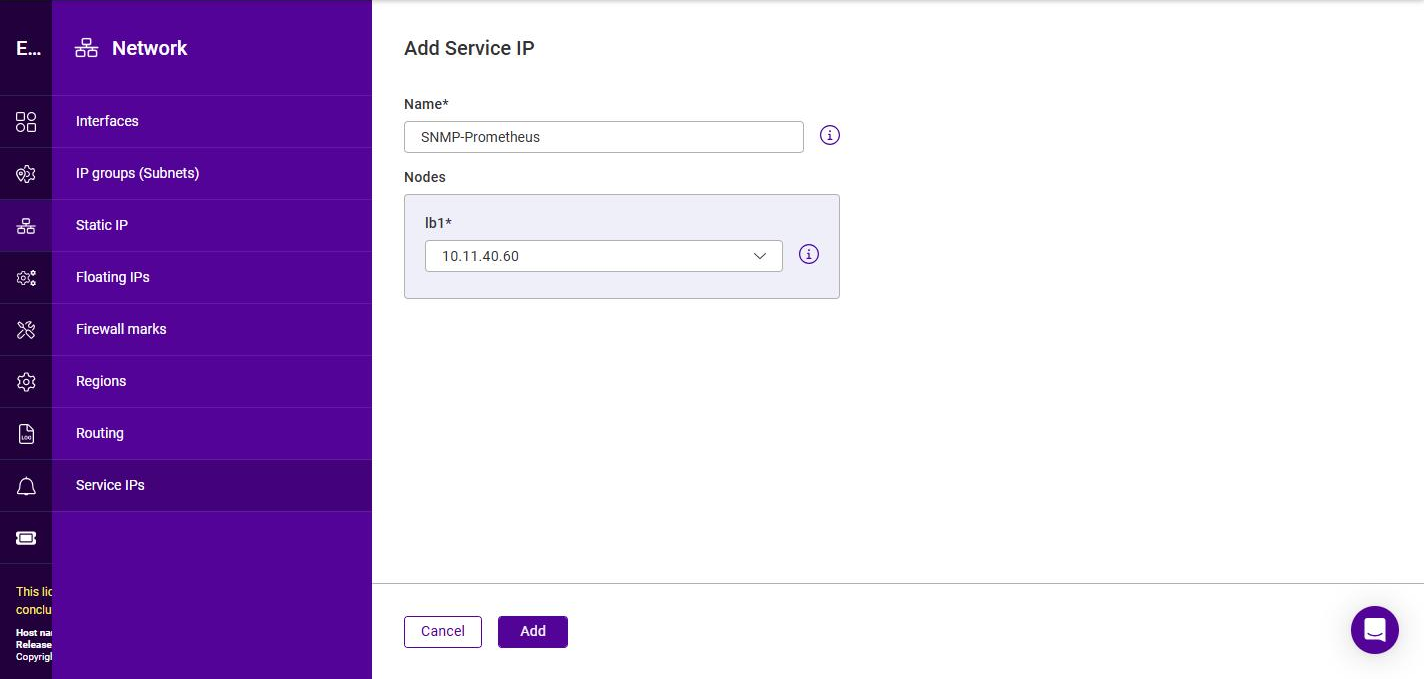
Using the WebUI, navigate to Network > IPs > Service IPs and click Add service IP.
-
Specify a Name for the Service IP.
-
Under Nodes, select the Static IP to use on each node. For a single appliance only one node (e.g. lb1) is listed; for a highly available multi-node cluster, select the Static IP on each node.
-
Click Add.