Routing
The appliance’s routing table is managed from a single Routing page. A default route (the appliance’s default gateway) is present by default. Additional routes can be added and are categorized by Type - Static, Local or PBR (Policy Based Routing).
To view the configured routes:
-
Using the WebUI, navigate to Network > Routing.
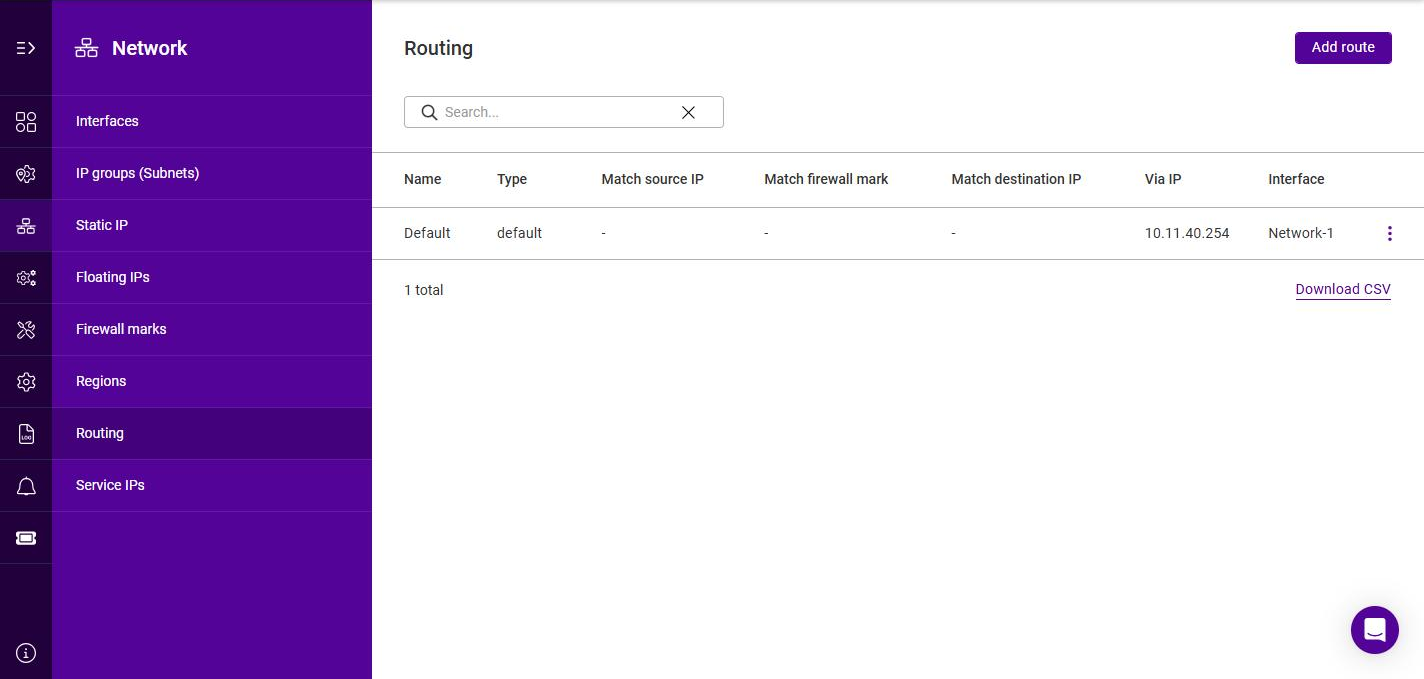
The list shows each route’s Name, Type, match conditions (Match source IP, Match firewall mark and Match destination IP), the gateway (Via IP) and the Interface.
To add a route:
-
Click Add route.
-
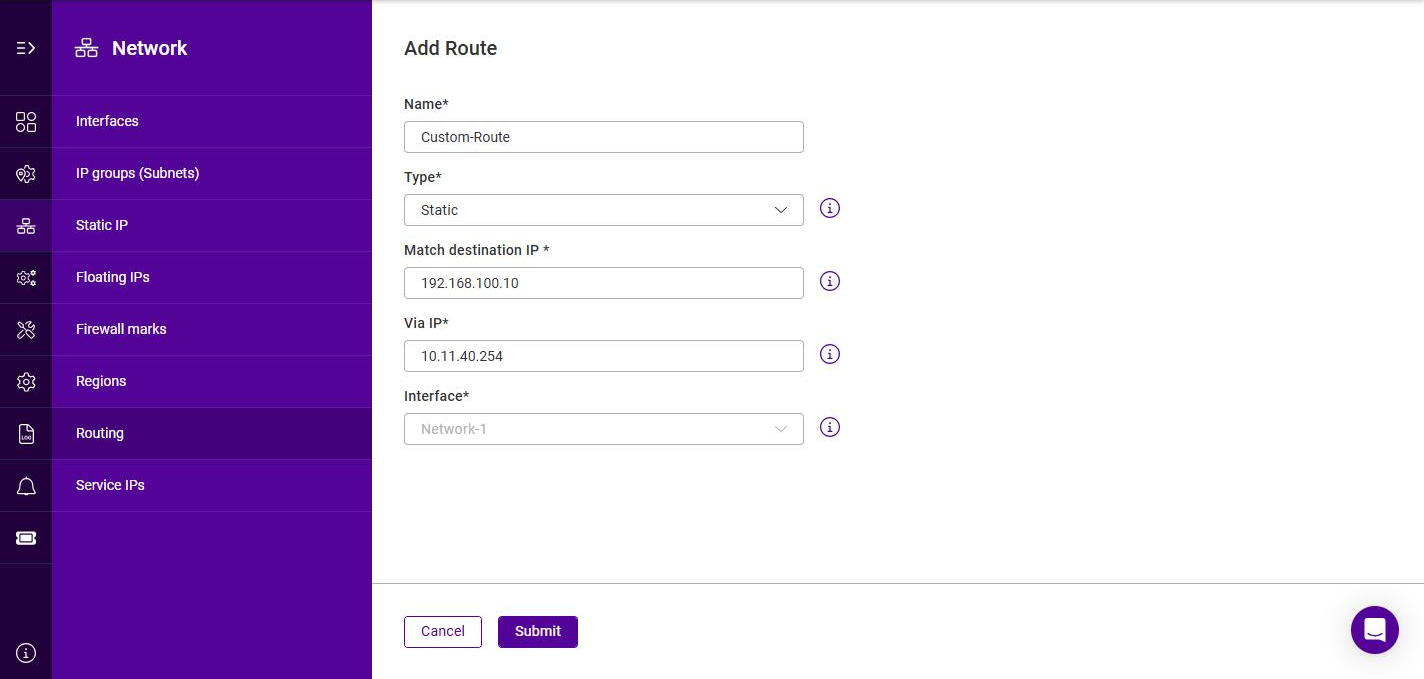
Specify a Name for the route.
-
Select the required Type (Static, Local or PBR), then complete the fields for that type as described in the sections below.
-
Click Submit.
Static Routes
A static route directs traffic destined for a specific network via a defined gateway. Select the Static route type, then configure:
| Setting | Description |
|---|---|
Match destination IP |
The destination IP address to match for the static route. |
Via IP |
The address of the router (gateway) to forward matching packets to. |
Interface |
The interface to forward matching packets on. |
Local Routes
A local route adds a rule to the appliance’s local routing table for traffic matched by source IP address and/or firewall mark. Select the Local route type, then configure at least one of the following (Source IP or Firewall Mark is required):
| Setting | Description |
|---|---|
Match source IP |
The source IP address to match. |
Match firewall mark |
An existing firewall mark to match, selected from a drop-down. |
Policy Based Routing (PBR)
If you require a custom gateway for a particular Service, this can be achieved using PBR.
| If client source addresses are known and predictable, static routes should normally be used to route traffic. In other situations where this is not known or the network is large with many subnets, PBR can be used. Here, return traffic is routed based on the source address of the reply traffic (the VIP/floating IP) rather than on the destination address (the client’s IP). |
To configure a VIP to return traffic via a custom gateway rather than via the default gateway, select the PBR route type, then configure the following (at least one of Source IP or Firewall Mark is required):
| Setting | Description |
|---|---|
Match source IP |
The source IP address of the return traffic to match, e.g. the VIP / Floating IP. |
Match firewall mark |
An existing firewall mark to match, selected from a drop-down. |
Via IP |
The address of the router (gateway) to forward matching packets to. |
Interface |
The interface to forward matching packets on. |