Regions
A region is a named group of one or more subnets. Regions provide a convenient way to reference a collection of networks when configuring the appliance.
To add a region:
-
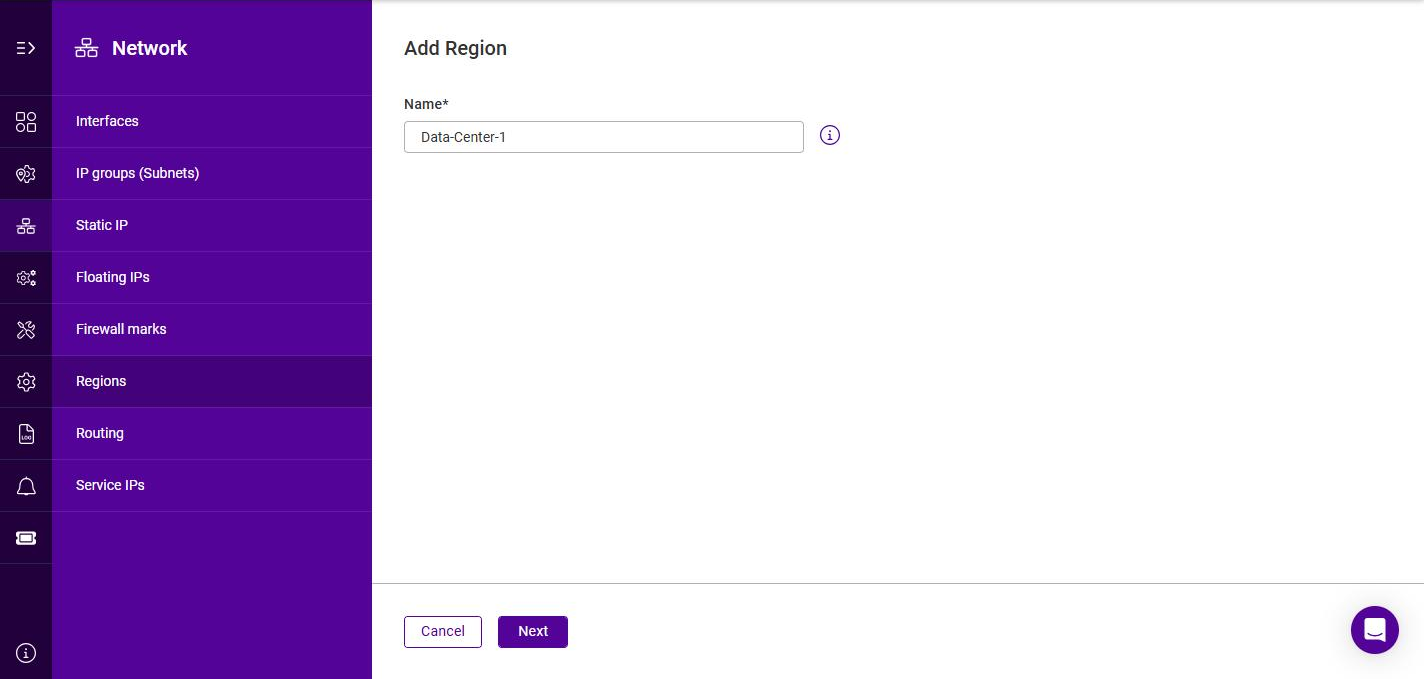
Using the WebUI, navigate to Network > Regions and click Add region.
-
Specify a Name for the region.
-
Click Next.
-
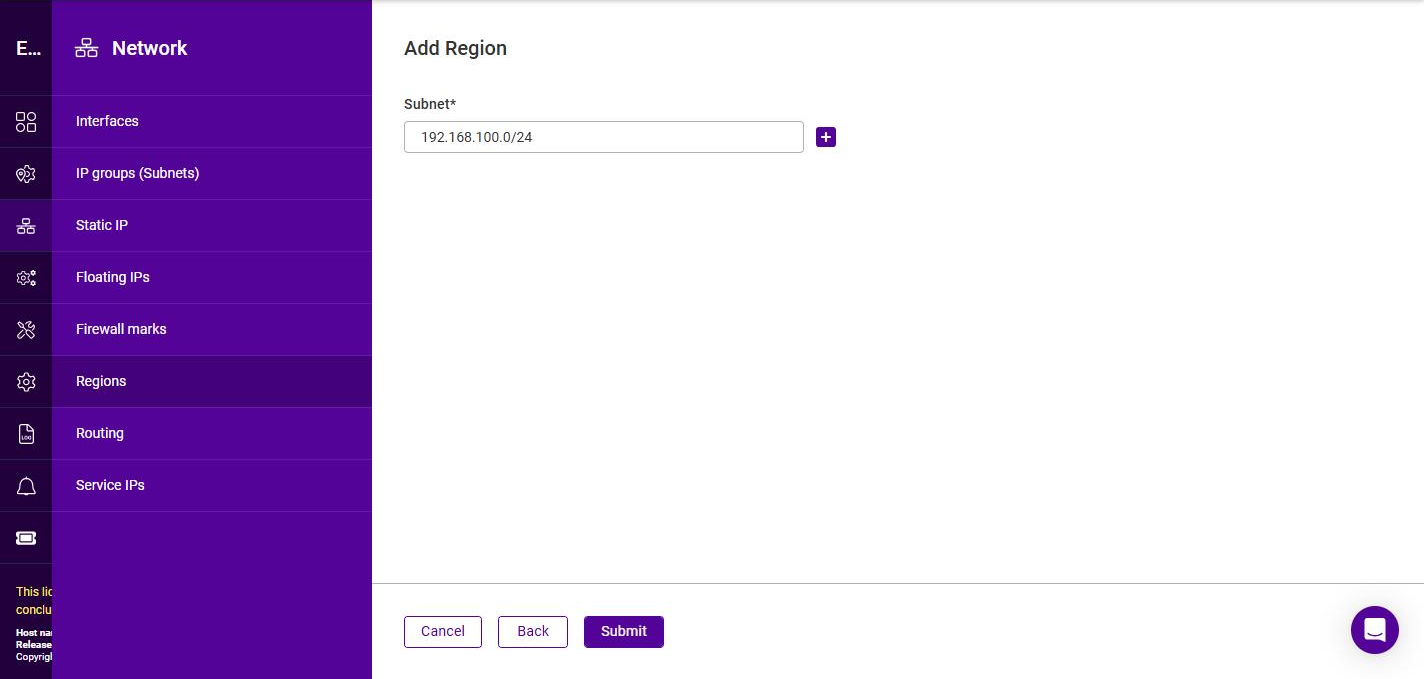
Specify a Subnet in CIDR notation, e.g. 192.168.100.0/24.
-
To add further subnets to the region, click the + button and specify each additional subnet.
-
Click Submit.
Once created, the Regions list shows each region together with the Count (the number of subnets it contains) and its Usage.